

Jun
How to Improve Cloud Security on AWS Using IAM, WAF & Security Hub
As businesses move to the cloud, AWS Cloud Security becomes one of the most critical responsibilities. Many organisations adopt AWS quickly but delay implementing proper security controls. This leads to risks such as unauthorised access, exposed data, and lack of visibility into system activity.
In real-world scenarios, many cloud environments begin with basic configurations such as public access, static credentials, and minimal monitoring. Over time, these gaps can evolve into serious security vulnerabilities.
In this blog, we will explain how to improve AWS cloud security using a practical, production-grade approach. We will cover AWS IAM best practices, AWS WAF configuration, and centralised monitoring with AWS Security Hub, along with real examples and implementation strategies.
What is AWS Cloud Security?
AWS Cloud Security refers to protecting your applications, infrastructure, and data using AWS-native security services and best practices.
It includes:
- Identity and access control using AWS Identity and Access Management (IAM)
- Network and application protection using Web Application Firewall AWS (WAF)
- Monitoring and compliance using AWS Security Hub
- Data protection using encryption and classification tools
Why AWS Cloud Security Matters
Without proper security, cloud environments can face:
- Unauthorised access to resources
- Data leaks and exposure
- Compliance violations
- Lack of monitoring and alerting
By following AWS security best practices, organisations can:
- Enforce least privilege access
- Protect applications from attacks
- Detect threats in real time
- Maintain compliance and audit readiness
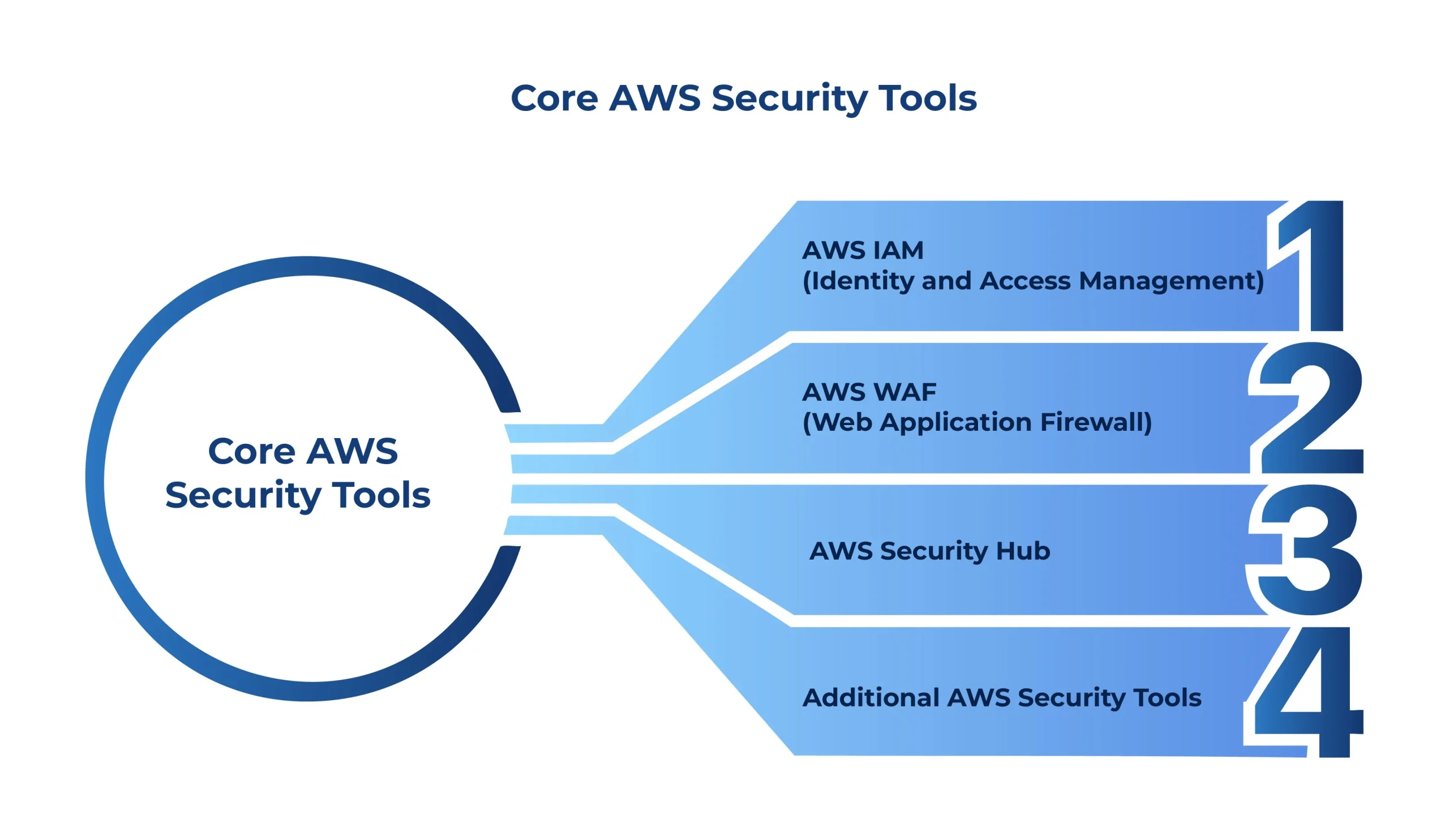
Core AWS Security Tools
To build a strong AWS security architecture, you must use the right combination of AWS security tools.
1. AWS IAM (Identity and Access Management)
IAM is the foundation of AWS security. It controls who can access what.
Key Features:
- Role-based access control
- Temporary credentials using AWS STS
- Fine-grained permissions
Best Practices:
- Do not use IAM users in production
- Use IAM roles instead of access keys
- Follow official AWS IAM best practices for secure implementation
2. AWS WAF (Web Application Firewall)
AWS WAF protects your application from common web attacks. You can configure rules using the official AWS WAF documentation.
What it protects against:
- SQL Injection
- Cross-Site Scripting (XSS)
- Bot traffic
AWS WAF Configuration includes:
- Managed rule sets
- Custom rules
- IP filtering
3. AWS Security Hub
AWS Security Hub provides centralised visibility across all security services.
Features:
- Aggregates findings from multiple services
- Provides compliance checks
- Prioritises security issues
- Learn more about setup and usage in the official AWS Security Hub documentation
4. Additional AWS Security Tools
- AWS KMS → Encryption
- AWS Secrets Manager → Secure credential storage
- Amazon Macie → Sensitive data detection
These tools together create a strong AWS security architecture.
Real-World Security Problem
In many rapidly deployed cloud environments, security configurations are often implemented with minimal controls to accelerate development and delivery. Over time, this can introduce several high-risk security gaps that impact system reliability, compliance, and overall security posture.
- IAM users with static access keys
- No centralised monitoring
- Public access to resources
- No protection from web attacks
- Secrets stored in code
Impact:
- Risk of credential leakage
- Unauthorised access
- Compliance risks
Solution: Implementing AWS Security Best Practices
To improve AWS cloud security, we implemented a layered approach.
1. IAM Modernisation
Problem: Static credentials
Solution:
- Replaced IAM users with IAM roles
- Implemented OIDC authentication
- Used temporary credentials
Result:
- Eliminated access key risks
- Improved compliance
2. AWS WAF Configuration
Problem: No web protection
Solution:
- Enabled AWS managed rules
- Added custom rules for APIs
Result:
- Blocked malicious traffic
- Improved application security
3. Centralised Monitoring (AWS Security Hub)
Problem: No visibility
Solution:
- Enabled AWS Security Hub
- Integrated with IAM and WAF
Result:
- Centralised dashboard
- Faster threat detection
4. Secure Secrets Management
Problem: Hardcoded secrets
Solution:
- Moved secrets to AWS Secrets Manager
- Used IAM roles for access
Result:
- Improved security
- Reduced manual errors
AWS Security Architecture Overview
A secure AWS architecture follows multiple layers:
- IAM → Access control
- WAF → Application protection
- Security Hub → Monitoring
- KMS → Encryption
This is called defense-in-depth, where multiple layers protect the system.
AWS Security Best Practices
Follow these to improve security:
- Use IAM roles instead of users
- Enable WAF for public applications
- Use Security Hub for monitoring
- Encrypt data using KMS
- Store secrets in Secrets Manager
- Enable logging with CloudWatch and CloudTrail
Common Mistakes to Avoid
- Using access keys in code
- Leaving S3 buckets public
- Not enabling monitoring tools
- Ignoring security alerts
- Over-permissioned IAM roles
Comparison: Before vs After
| Area | Before | After |
| Access Control | IAM users | IAM roles |
| Security | Limited | WAF + Security Hub |
| Monitoring | None | Centralised |
| Secrets | Hardcoded | Secrets Manager |
| Compliance | Weak | Strong |
When to Use AWS Security Services
| Scenario | Recommended Solution |
| Basic app | IAM + CloudWatch |
| Production app | Full AWS security architecture |
| High-risk system | WAF + Security Hub + Macie |
| Compliance required | Security Hub + CloudTrail |
Conclusion
Improving AWS Cloud Security is not a one-time requires continuous monitoring, best practices, and the right tools.
By implementing:
- AWS IAM best practices
- AWS WAF configuration
- AWS Security Hub monitoring
You can build a secure, scalable, and production-ready system.
A strong AWS security architecture ensures:
- Better protection
- Faster detection
- Improved compliance

Nihal Rajput is the Operations Director at Ficode Software Solutions Pvt. Ltd., where he oversees day-to-day operations, streamlines processes, and drives organisational efficiency. With a focus on delivering scalable solutions and maintaining operational excellence, he plays a key role in aligning teams, optimising resources, and ensuring client satisfaction as the company grows.

 Previous
 Next
Next